> ## Documentation Index
> Fetch the complete documentation index at: https://docs.finta.io/llms.txt
> Use this file to discover all available pages before exploring further.
# Categories
> View, create, and rename the categories Finta assigns to your transactions.
Categories are how you group your transactions. The Categories page shows every category you can use: the ones you create yourself, plus the ones synced from your banks. Finta, your [rules](/your-data/rules), and the [API](/api/v2/overview) and [MCP](/mcp/overview) all assign these categories to transactions.
Categories live under **Your data** in the sidebar and require [storage mode](/getting-started/storage-mode).
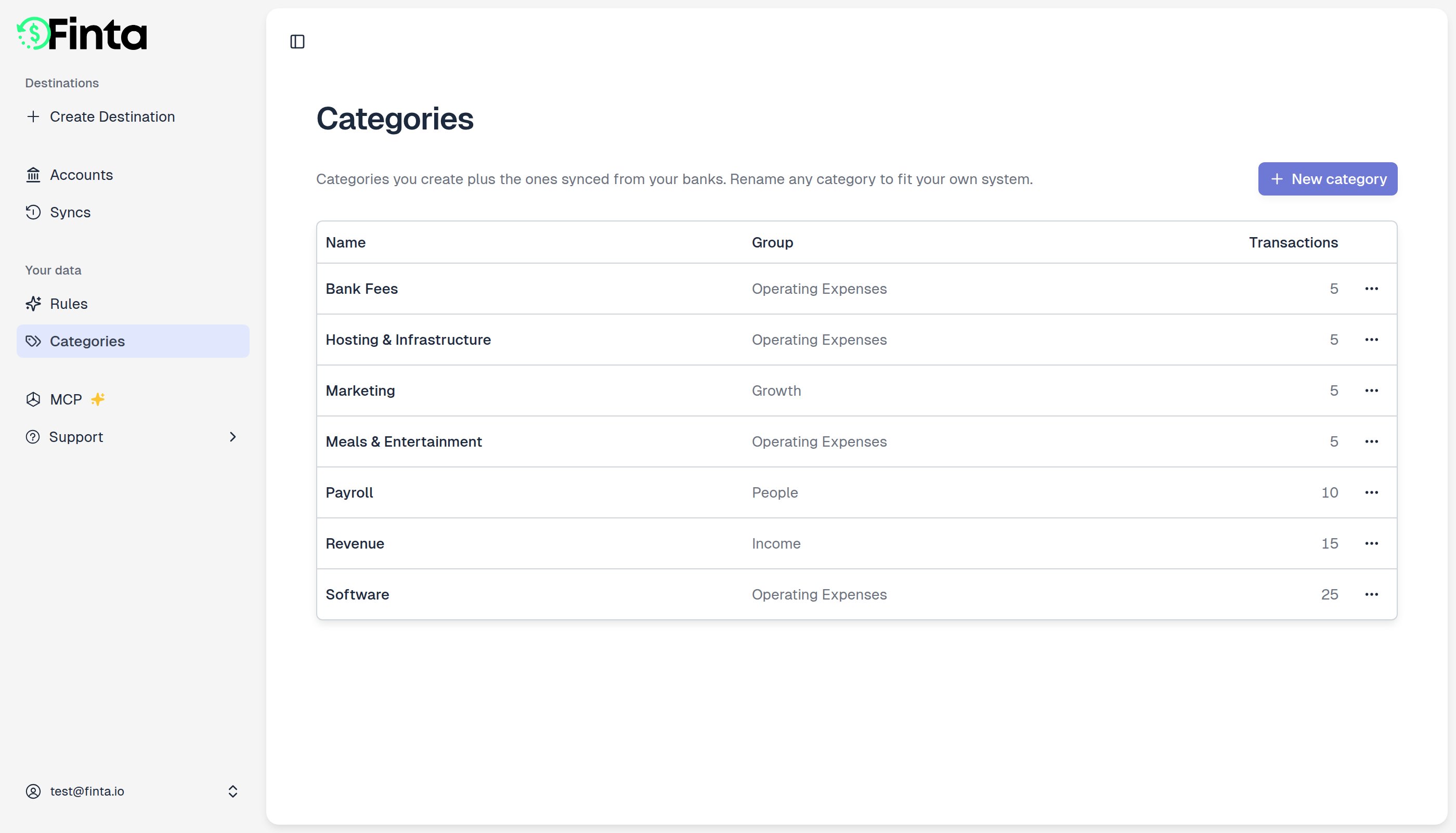 ## Create a category
1. Go to **Your data → Categories** and click **New category**.
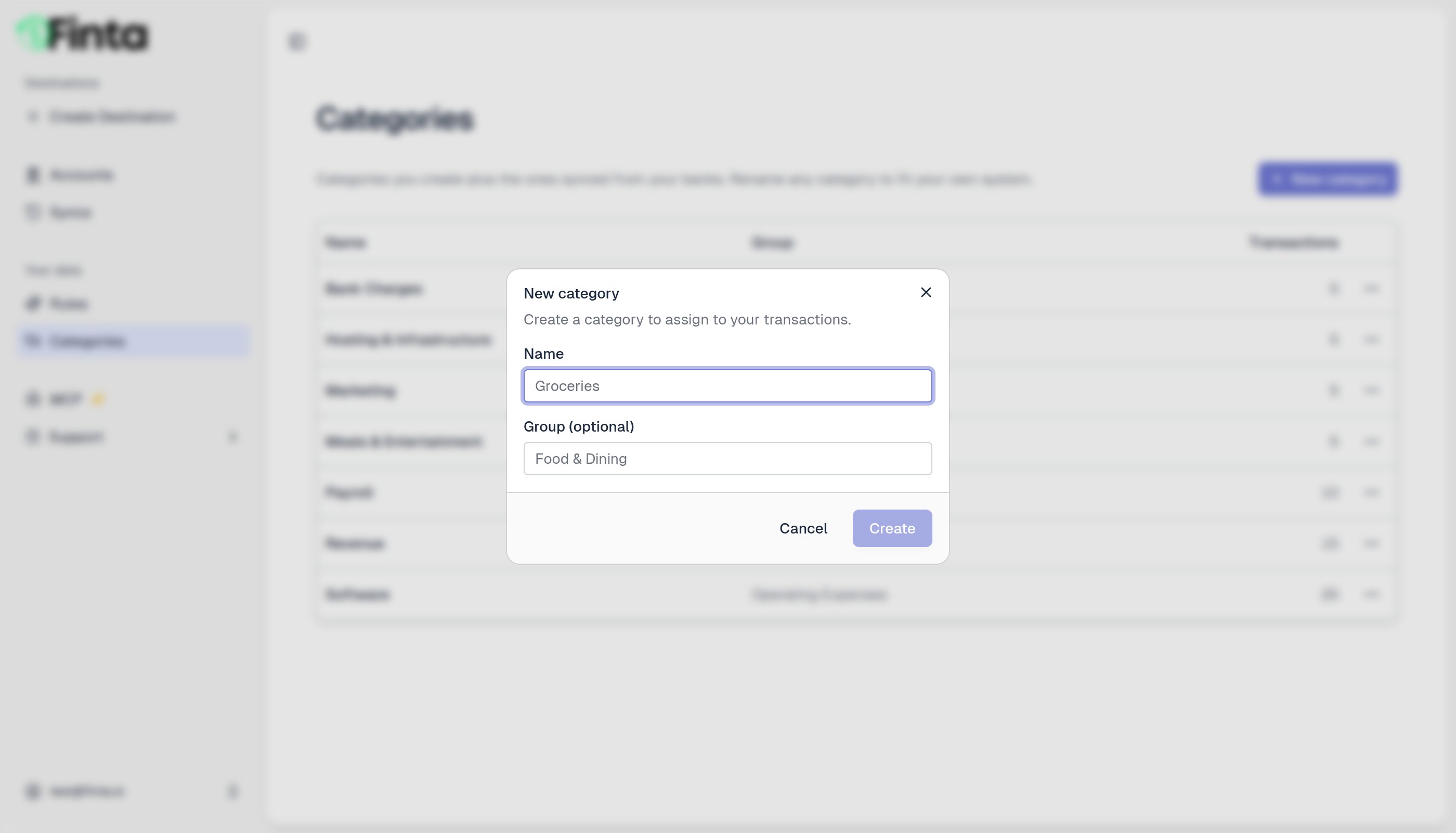
2. Enter a name, and an optional group to keep related categories together.
3. Click **Create**.
## Create a category
1. Go to **Your data → Categories** and click **New category**.
2. Enter a name, and an optional group to keep related categories together.
3. Click **Create**.
 ## Rename a category
Open a category's menu and choose **Rename**. You can rename any category, including ones synced from your bank.
## Rename a category
Open a category's menu and choose **Rename**. You can rename any category, including ones synced from your bank.
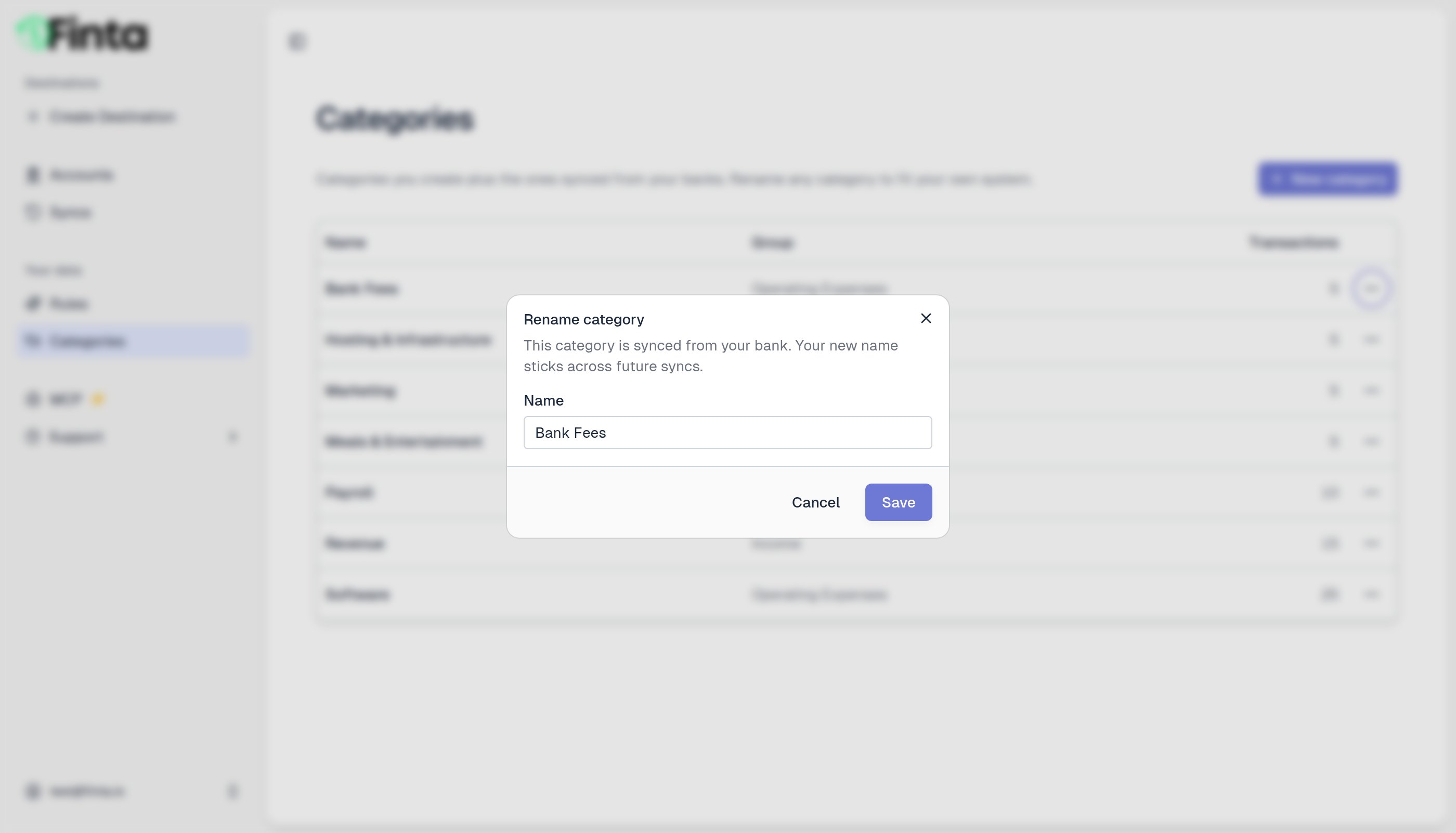 When you rename a bank-synced category, your name sticks. Future syncs won't overwrite it with the bank's original name.
## Delete a category
You can delete categories you created. Open the category's menu and choose **Delete**. Any transactions in that category become uncategorized.
Categories synced from your bank can't be deleted, since your bank keeps sending them. You can always rename them instead.
## How transactions get a category
A transaction's category can come from three places, in order of precedence:
1. **Your bank**, which provides a default category when it's available.
2. **A rule**, which can override the bank's category. See [Rules](/your-data/rules).
3. **You**, by setting it yourself in the app, the API, or the MCP. A category you set by hand always wins, and rules won't change it.
When you rename a bank-synced category, your name sticks. Future syncs won't overwrite it with the bank's original name.
## Delete a category
You can delete categories you created. Open the category's menu and choose **Delete**. Any transactions in that category become uncategorized.
Categories synced from your bank can't be deleted, since your bank keeps sending them. You can always rename them instead.
## How transactions get a category
A transaction's category can come from three places, in order of precedence:
1. **Your bank**, which provides a default category when it's available.
2. **A rule**, which can override the bank's category. See [Rules](/your-data/rules).
3. **You**, by setting it yourself in the app, the API, or the MCP. A category you set by hand always wins, and rules won't change it.