> ## Documentation Index
> Fetch the complete documentation index at: https://docs.finta.io/llms.txt
> Use this file to discover all available pages before exploring further.
# Manage your email notifications
> Choose which Finta emails you get, set how often Sync Updates arrive, and control the timezone that sets their date range.
Finta emails you for a few different reasons. You control most of them from one page; a few keep you informed about your account, your bank connections, and your subscription no matter what.
## Open notification settings
1. Sign in to Finta.
2. Select your account at the bottom of the sidebar, then choose **Notifications**, or open [Notification Settings](https://app.finta.io/settings/notifications) directly.
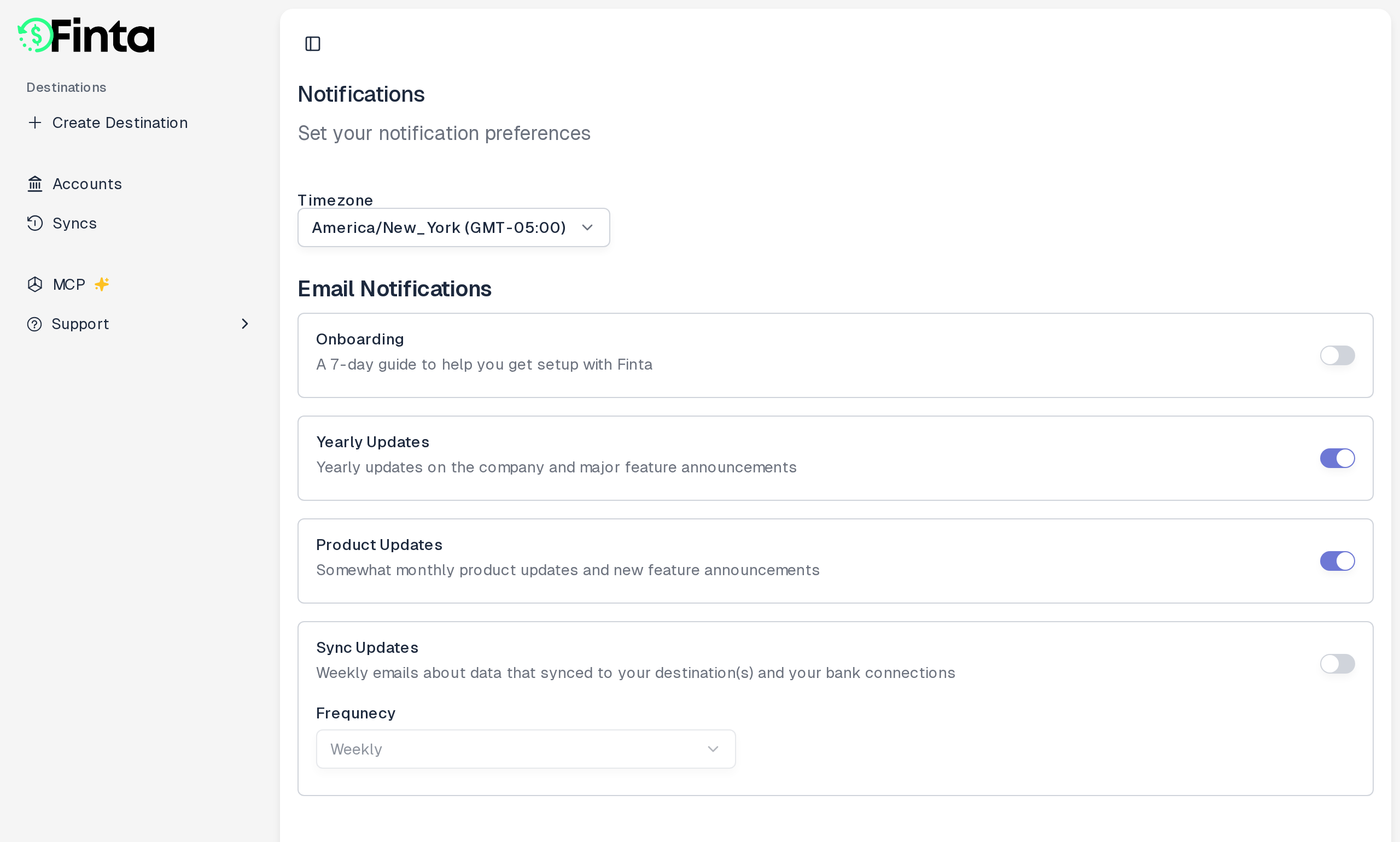 ## The four email topics
Each topic has its own switch. Turn it on to get that email, off to stop it.
* **Onboarding**. A 7-day guide to help you get set up with Finta. This switch only shows up while your account is in its trial.
* **Yearly Updates**. Company news and major feature announcements, roughly once a year.
* **Product Updates**. A roughly monthly roundup of what's new in Finta.
* **Sync Updates**. A recurring summary of the data that synced to your destinations and the status of your bank connections.
### Choose how often Sync Updates arrive
Next to the Sync Updates switch is a dropdown for how often you get it: **Daily**, **Weekly**, **Monthly**, **Quarterly**, or **Yearly**. The dropdown is only active while Sync Updates is on.
### Set your timezone
The **Timezone** selector on the same page isn't tied to a single topic, but it sets the date range your Sync Updates email covers. Each email covers the most recently completed period in your timezone, not UTC. For example, a weekly email covers the previous Monday-through-Sunday week, and a monthly email covers the previous calendar month.
## Changes save immediately
There's no save button. Flip a switch or change a dropdown and Finta saves it right away.
## Emails you can't turn off
A few emails aren't covered by these switches, because they're about keeping your account secure and your subscription current:
* Account emails, like sign-in codes and confirmation that your password changed.
* Bank connection emails, like notices that a connection needs to be reconnected or has been disconnected.
* Subscription and billing emails, like receipts, notice that your trial has ended, and payment notices.
## Unsubscribe from the footer
Every Finta email has a **Notification Settings** link in its footer. It goes to the same [Notification Settings](https://app.finta.io/settings/notifications) page, so you can adjust your preferences straight from any email you receive.
## The four email topics
Each topic has its own switch. Turn it on to get that email, off to stop it.
* **Onboarding**. A 7-day guide to help you get set up with Finta. This switch only shows up while your account is in its trial.
* **Yearly Updates**. Company news and major feature announcements, roughly once a year.
* **Product Updates**. A roughly monthly roundup of what's new in Finta.
* **Sync Updates**. A recurring summary of the data that synced to your destinations and the status of your bank connections.
### Choose how often Sync Updates arrive
Next to the Sync Updates switch is a dropdown for how often you get it: **Daily**, **Weekly**, **Monthly**, **Quarterly**, or **Yearly**. The dropdown is only active while Sync Updates is on.
### Set your timezone
The **Timezone** selector on the same page isn't tied to a single topic, but it sets the date range your Sync Updates email covers. Each email covers the most recently completed period in your timezone, not UTC. For example, a weekly email covers the previous Monday-through-Sunday week, and a monthly email covers the previous calendar month.
## Changes save immediately
There's no save button. Flip a switch or change a dropdown and Finta saves it right away.
## Emails you can't turn off
A few emails aren't covered by these switches, because they're about keeping your account secure and your subscription current:
* Account emails, like sign-in codes and confirmation that your password changed.
* Bank connection emails, like notices that a connection needs to be reconnected or has been disconnected.
* Subscription and billing emails, like receipts, notice that your trial has ended, and payment notices.
## Unsubscribe from the footer
Every Finta email has a **Notification Settings** link in its footer. It goes to the same [Notification Settings](https://app.finta.io/settings/notifications) page, so you can adjust your preferences straight from any email you receive.